Ladder
An enterprise resource-scheduling platform - align people across projects on one planning board, catch conflicts, and staff new projects through a guided flow.
- Role
- Product designer - research, IA, flows, UI and the design system.
- Timeline
- Design and handoff
- Team
- Solo designer with front-end developers
- Platform
- Web resource-planning platform.
- Tools
- Figma
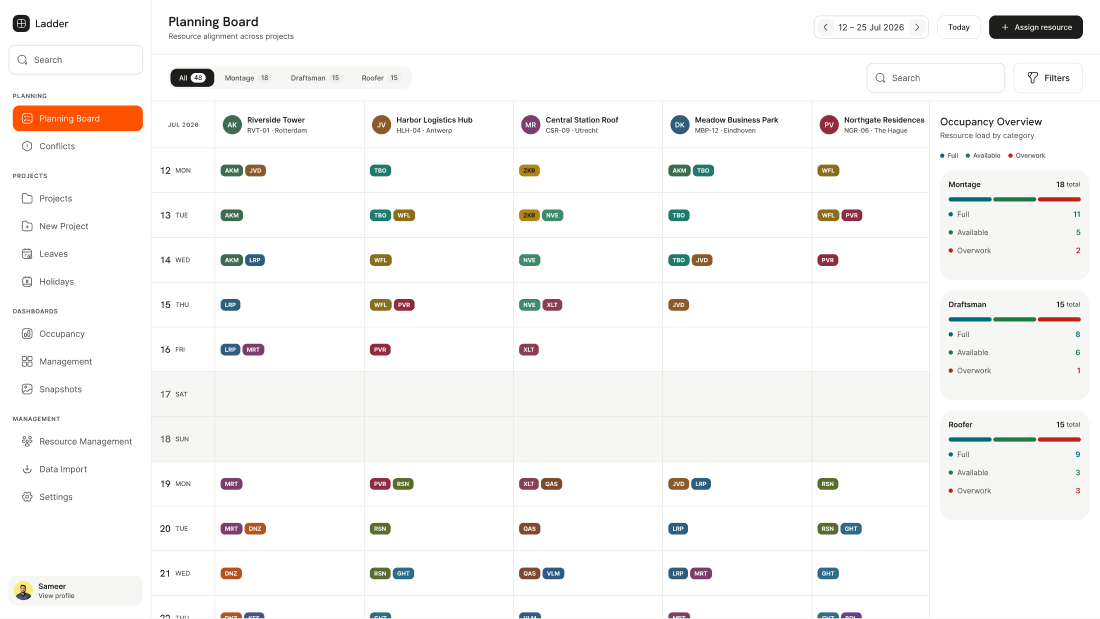
My contributionReplaced a spreadsheet-based planning process with a visual resource-scheduling board that assigns teams to projects day by day and flags over-allocation before it costs a day on site.
What we were solving
A tiling contractor - fitting tiles on corporate buildings - ran its day-to-day team and resource planning in Excel. As projects and crews grew, spreadsheets could not show who was where, when, or who was over-booked.
Ladder's brief: replace the spreadsheet with a purpose-built planner that assigns people and resources across projects on a daily basis, and makes conflicts obvious before they turn into lost days.
The answer
A planning board aligns every project and crew on one grid, with an occupancy overview that flags full, available and overworked at a glance.
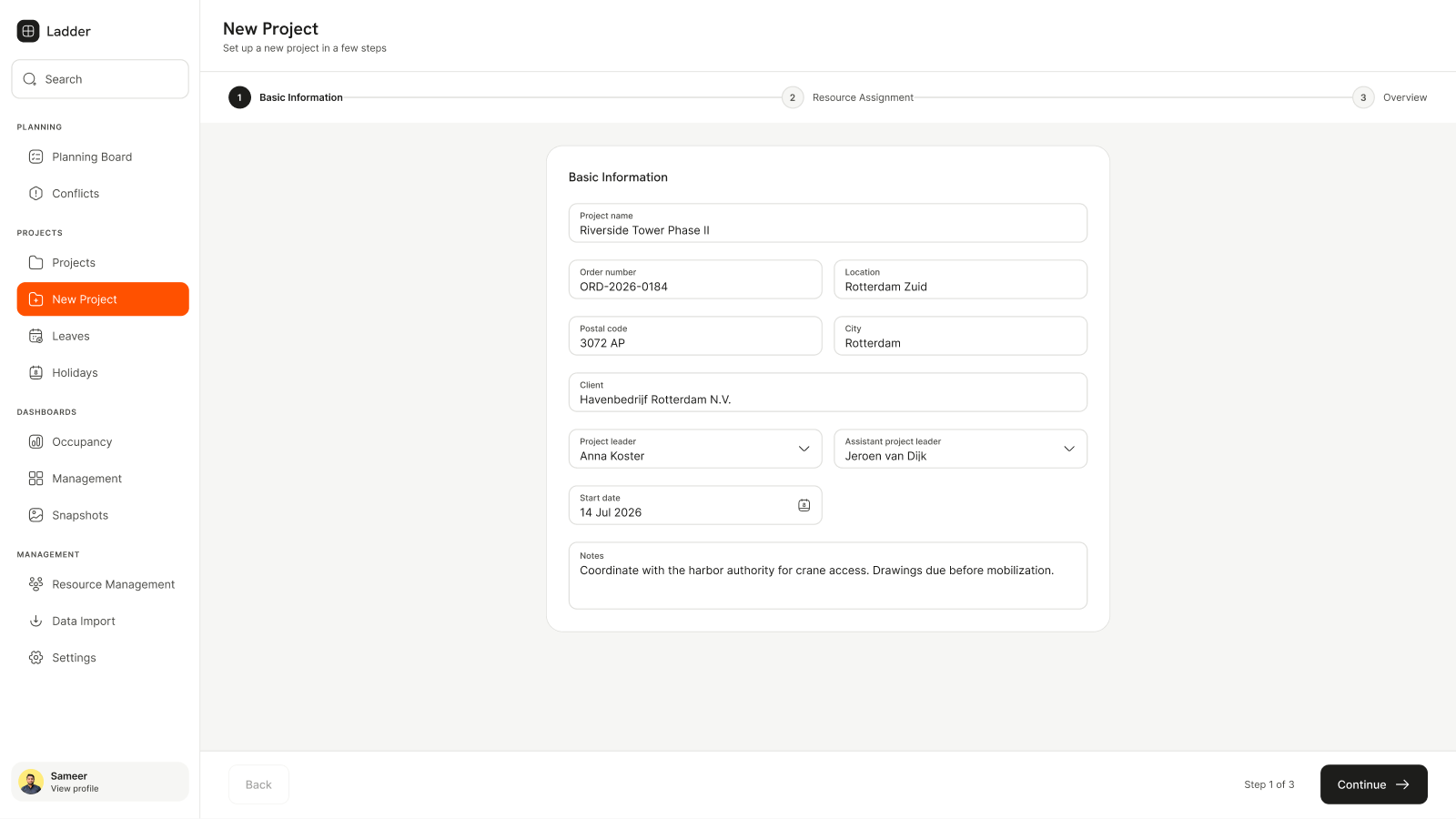
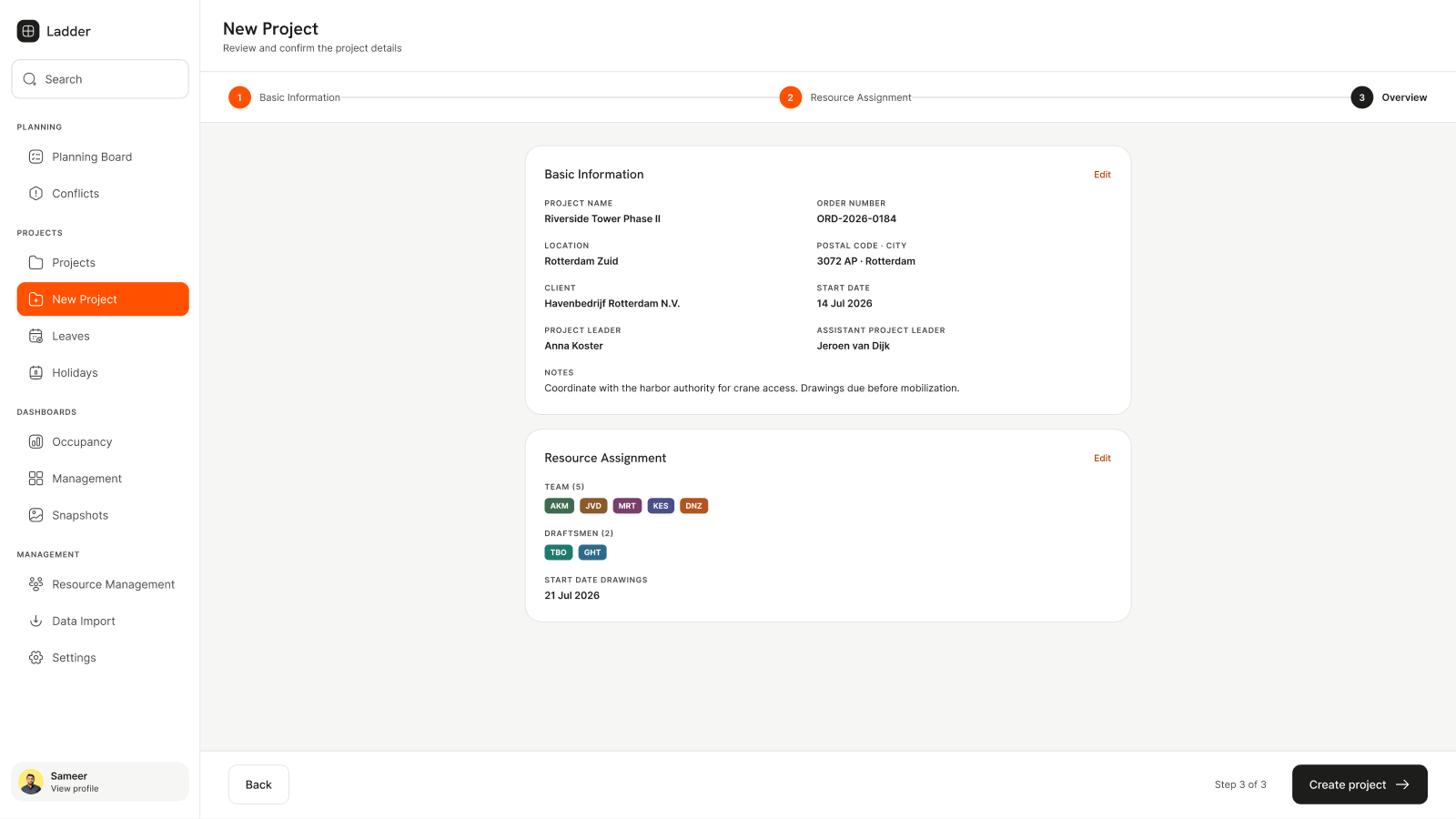
New projects are staffed through a short wizard, and a conflicts view surfaces clashes - so allocation is a deliberate, visible decision rather than a spreadsheet guess.
The craft
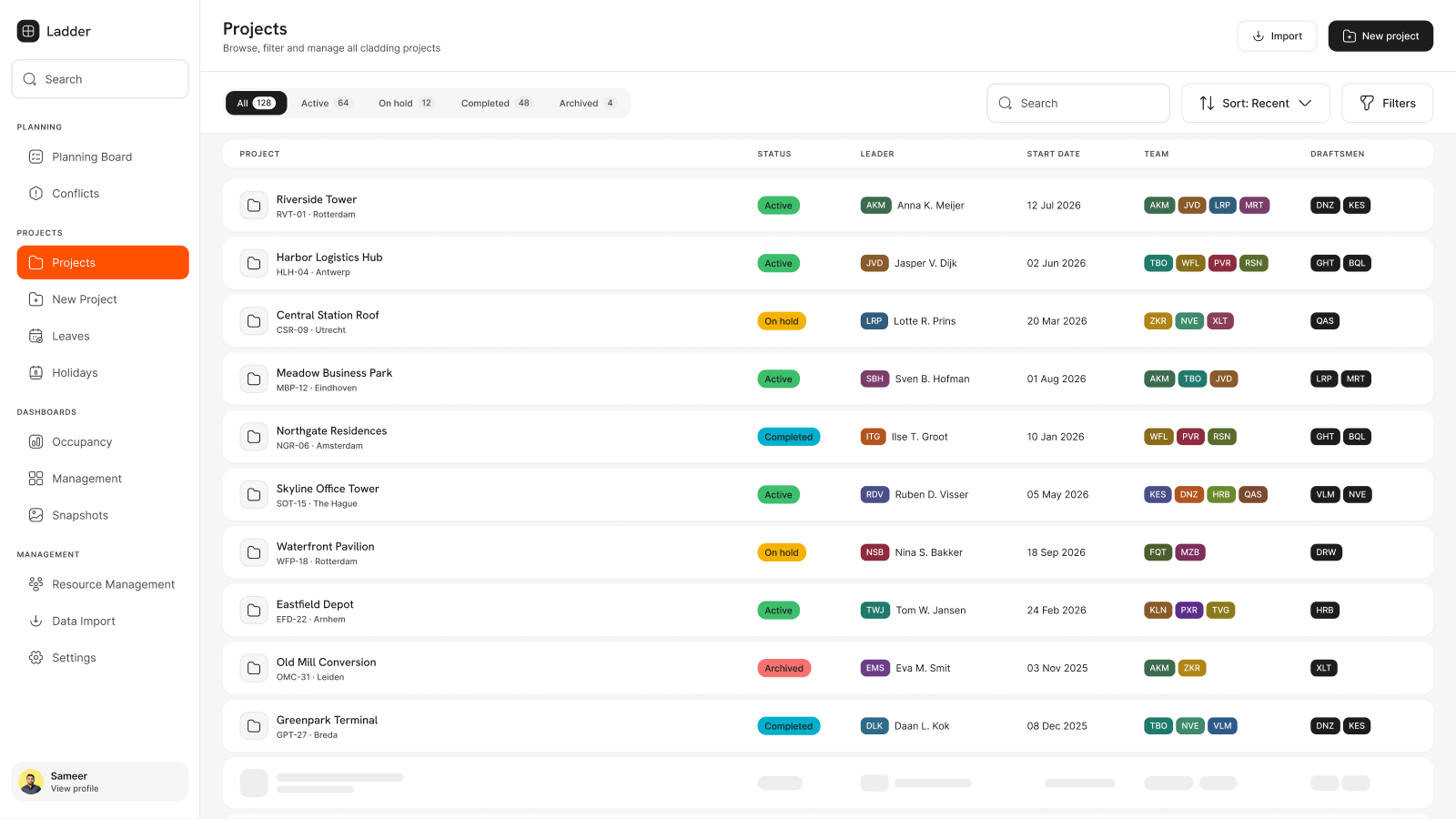
Ladder aligns resources across live projects. The planning board is the heart of it - occupancy read at a glance, conflicts surfaced, new projects staffed through a short wizard.