Event Connect
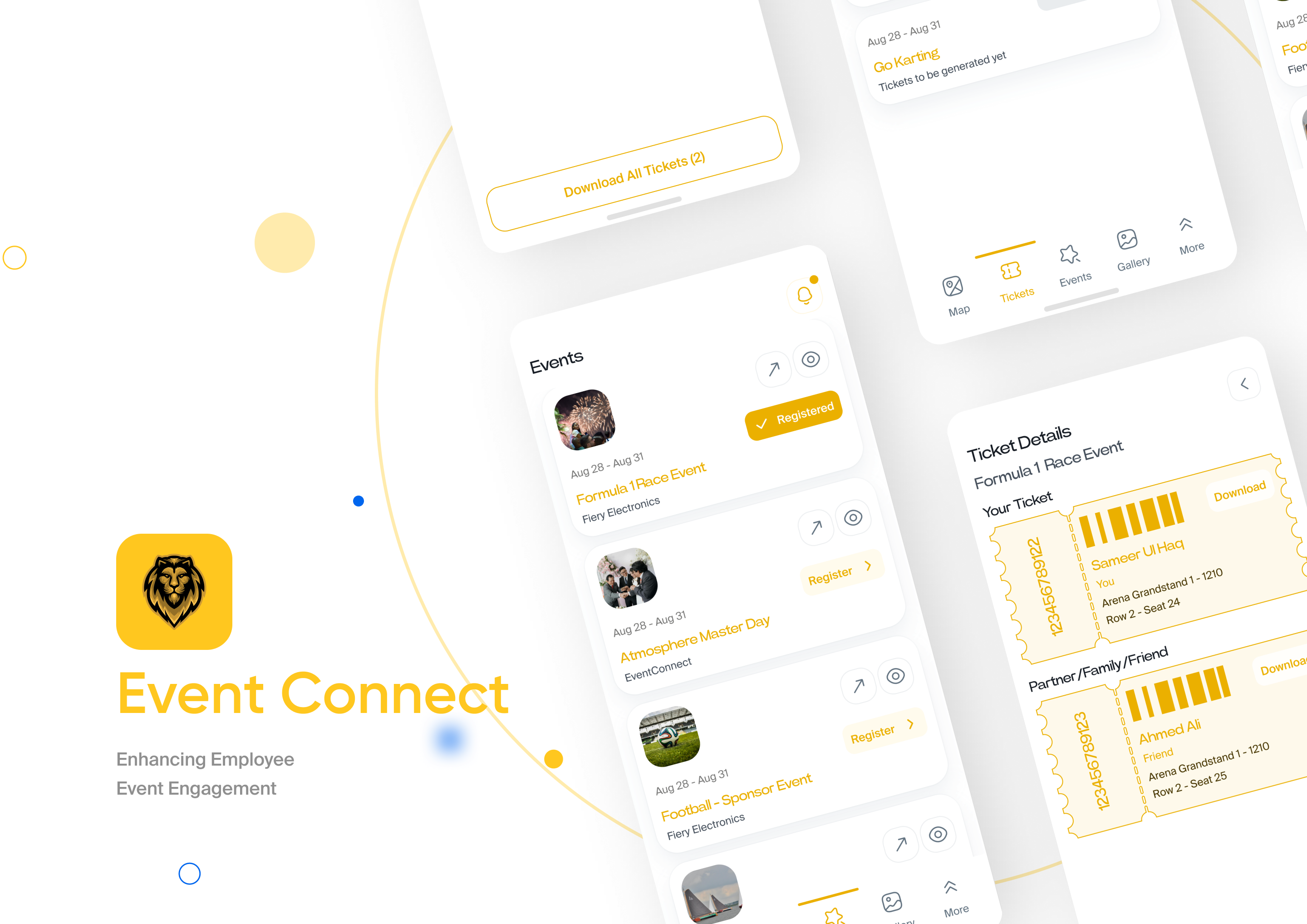
One event system replacing scattered spreadsheets and manual follow-ups: an admin dashboard to create, schedule and run events across companies, and a companion app where invitees RSVP, find the venue and carry a digital ticket - a 70% engagement lift.
- Role
- Product designer (generalist) - owned research, IA, flows, UI and the shared design system across web and mobile.
- Timeline
- Design and handoff at Melior ITS
- Team
- 1 designer (me) with front-end developers and a PM
- Platform
- Web admin dashboard + companion attendee app (iOS / Android).
- Tools
- Figma, FigJam, MUI / design tokens
My contributionTurned fragmented, spreadsheet-and-email event ops into one profile-driven system - admin dashboard plus attendee app - covering the full event lifecycle end to end, driving a 70% engagement lift.
Project Overview
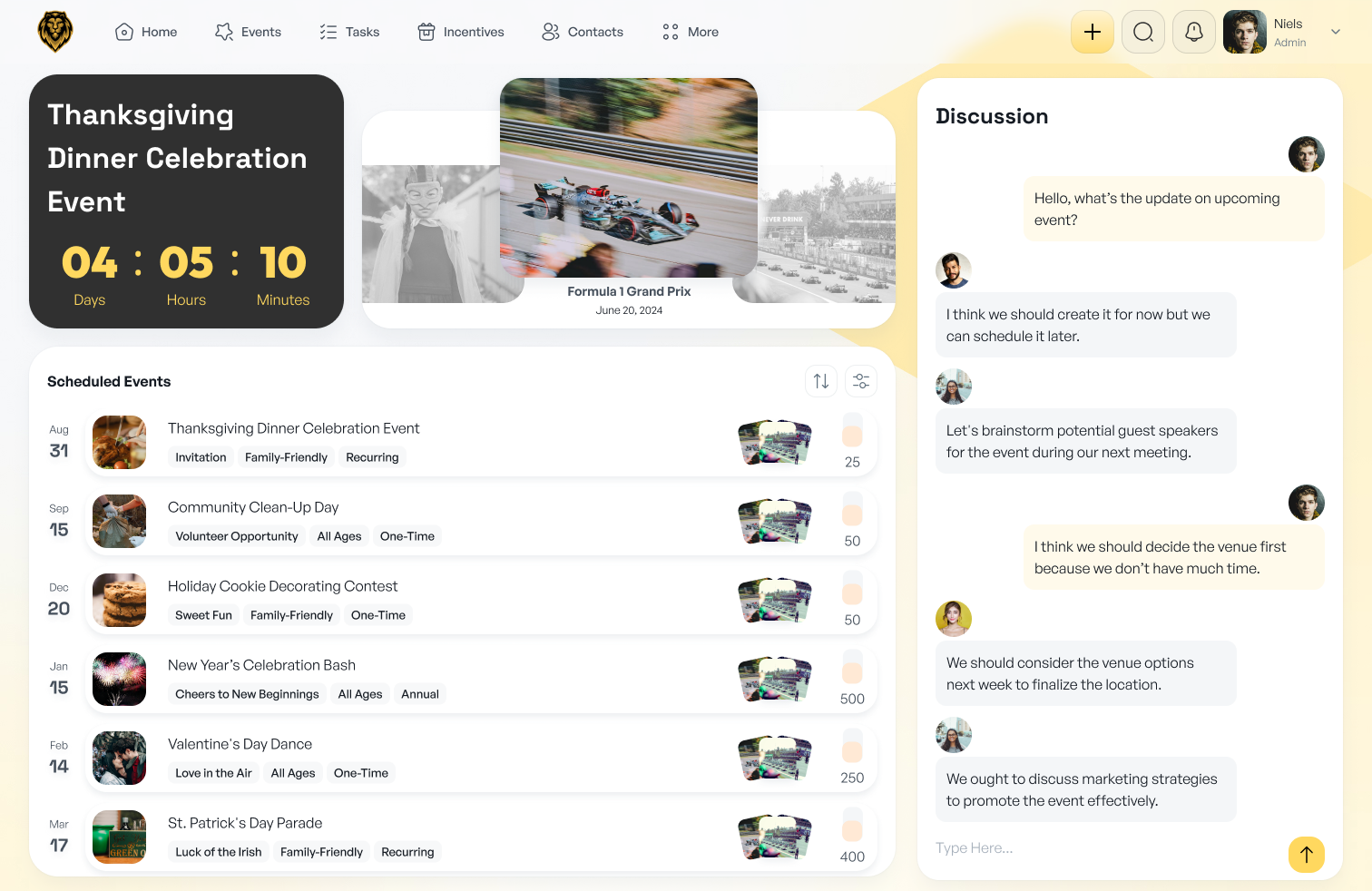
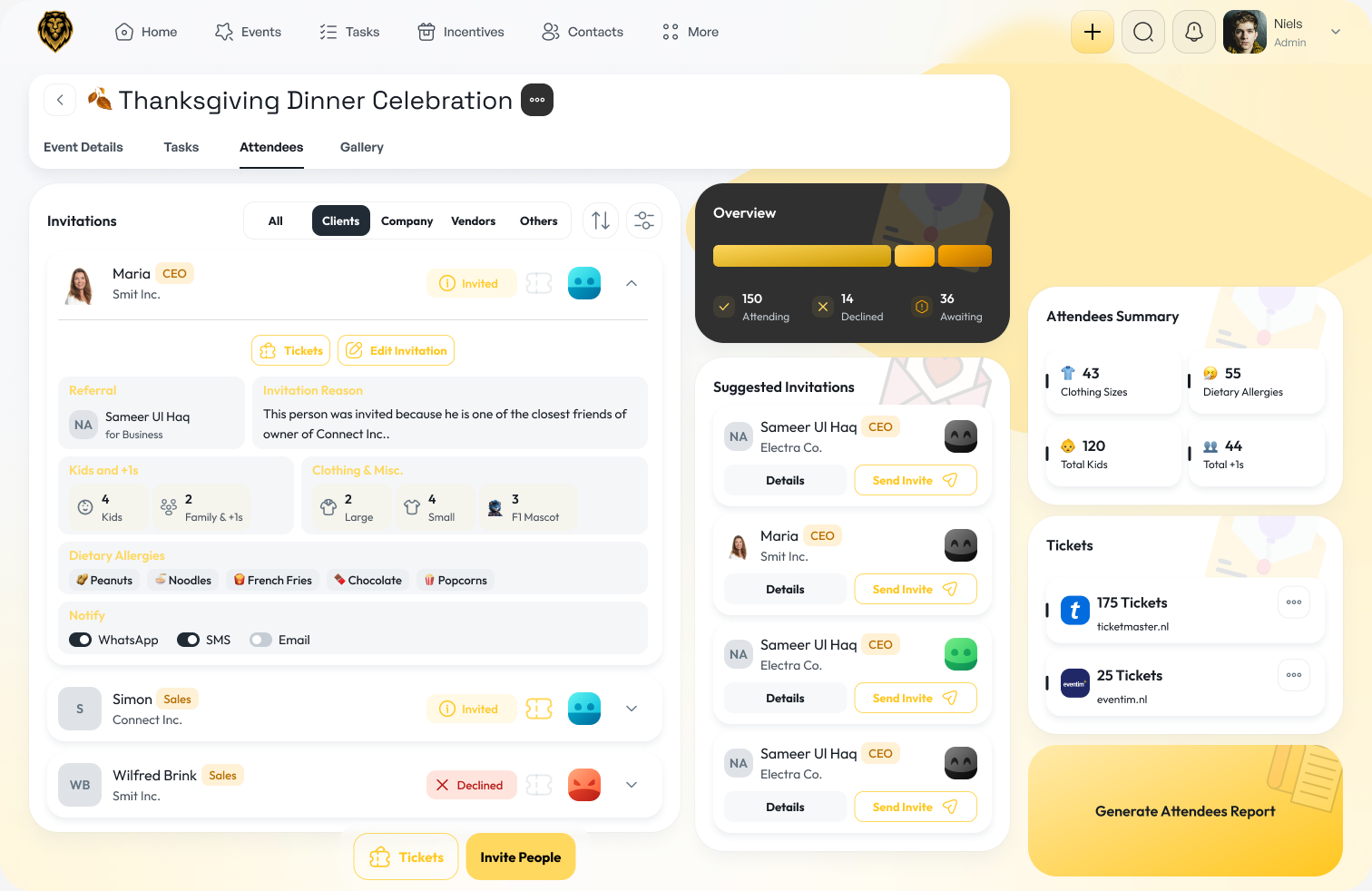
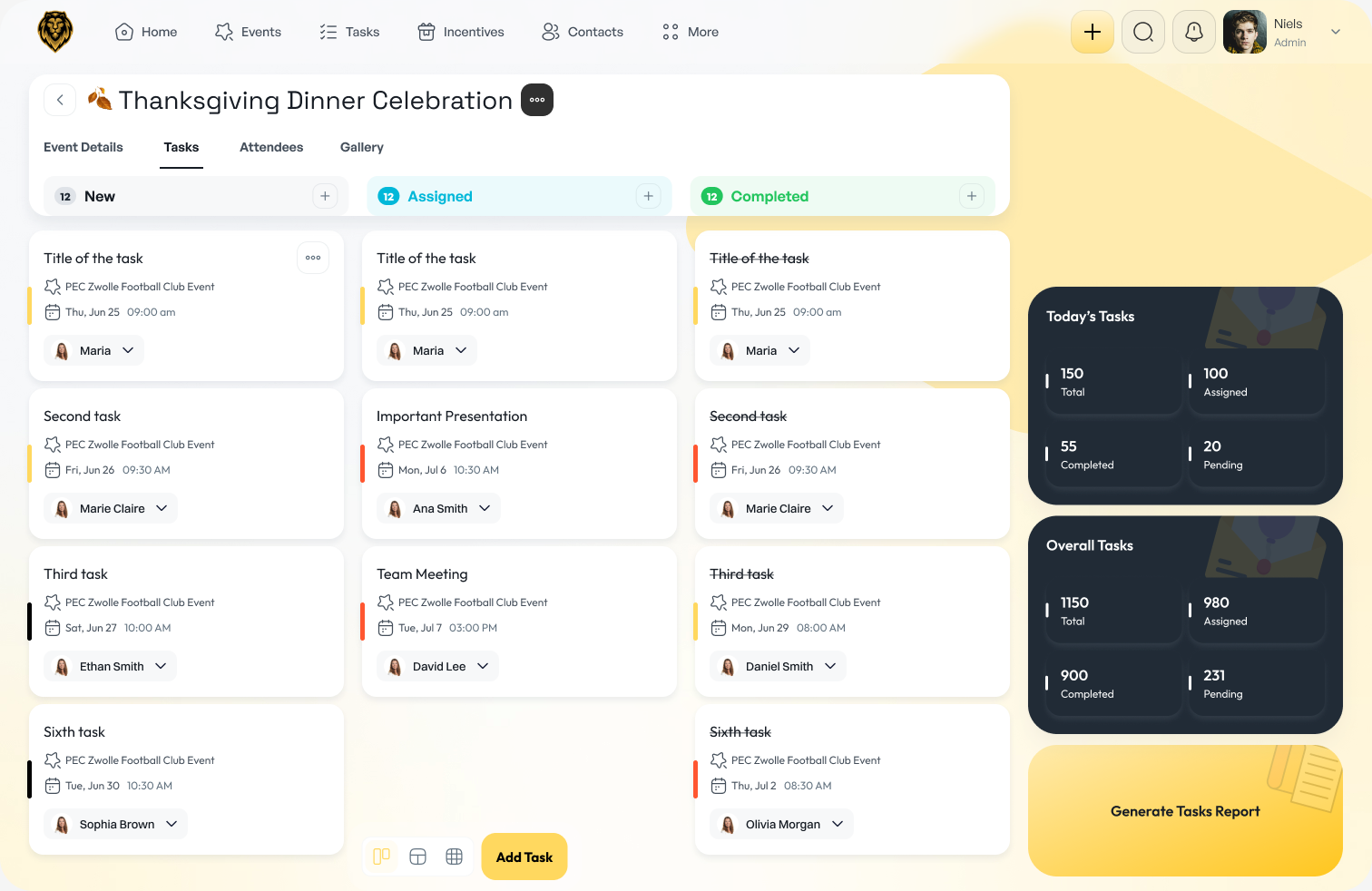
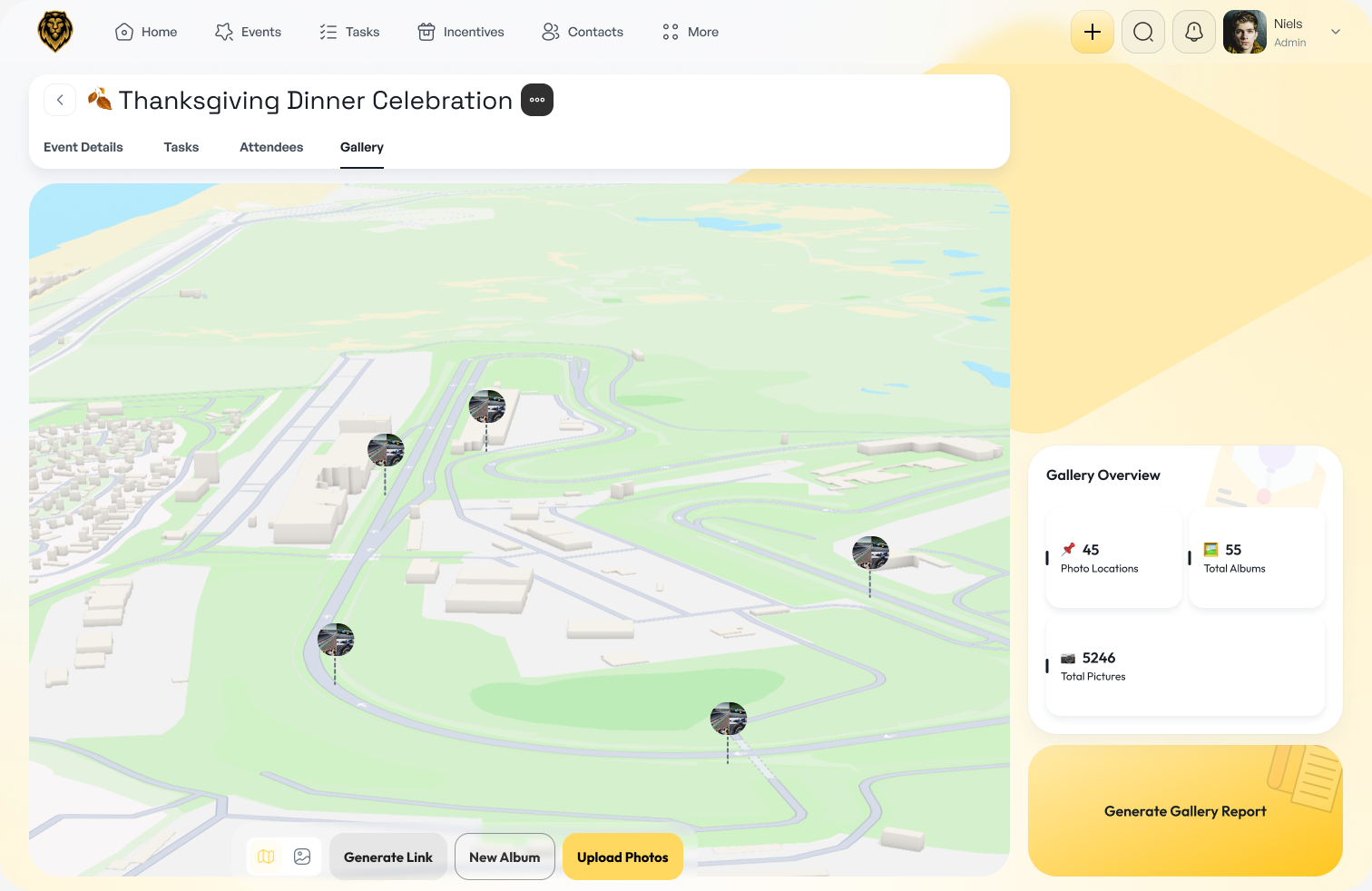
EventConnect streamlines the full event lifecycle for both administrators and attendees through a dedicated web dashboard and cohesive mobile app. Administrators see an upcoming event counter, gallery carousel, scheduled events across all companies, and a real-time chat panel, enabling rapid setup and coordination.
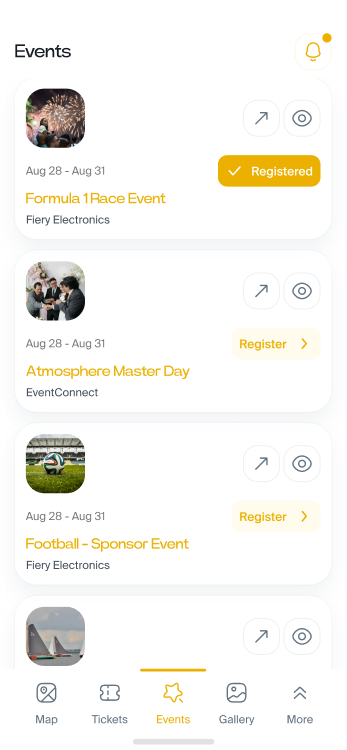
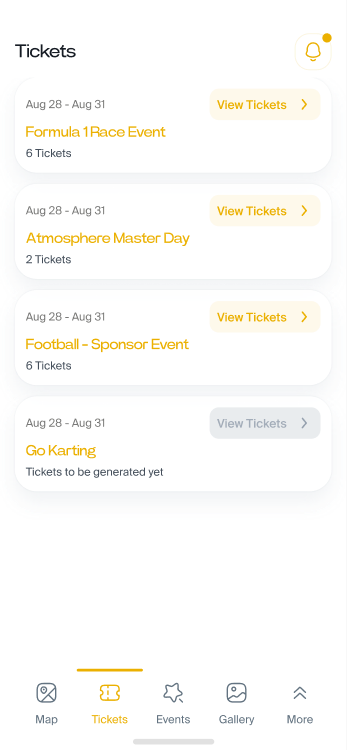
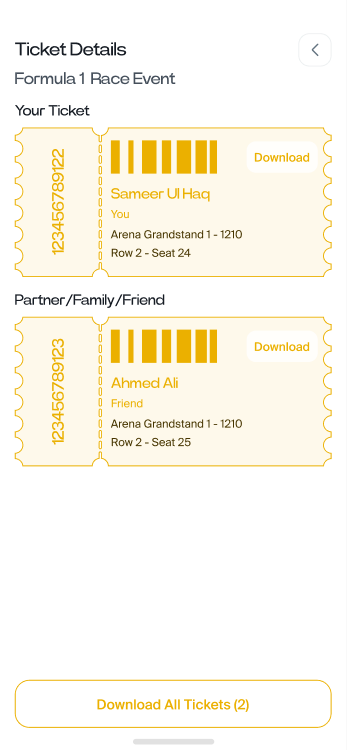
On mobile, invitees can browse events, complete RSVP forms for themselves and guests, view venues on an interactive map, and access digital tickets. This unified experience replaces fragmented spreadsheets and manual follow-ups with intuitive, profile-driven flows.
Objective
My Role & Design Process
As a generalist UX/UI designer I ran the full double-diamond - Empathize, Define, Ideate, Design, Test - from interviews and surveys through sitemaps, user flows, wireframes and moodboarding to high-fidelity UI.
User Stories
Two people fell out of the research: the event coordinator who sets up and runs events, and the employee who just needs to say yes, bring guests and show up.
- A discussion panel to coordinate setup tasks in real time
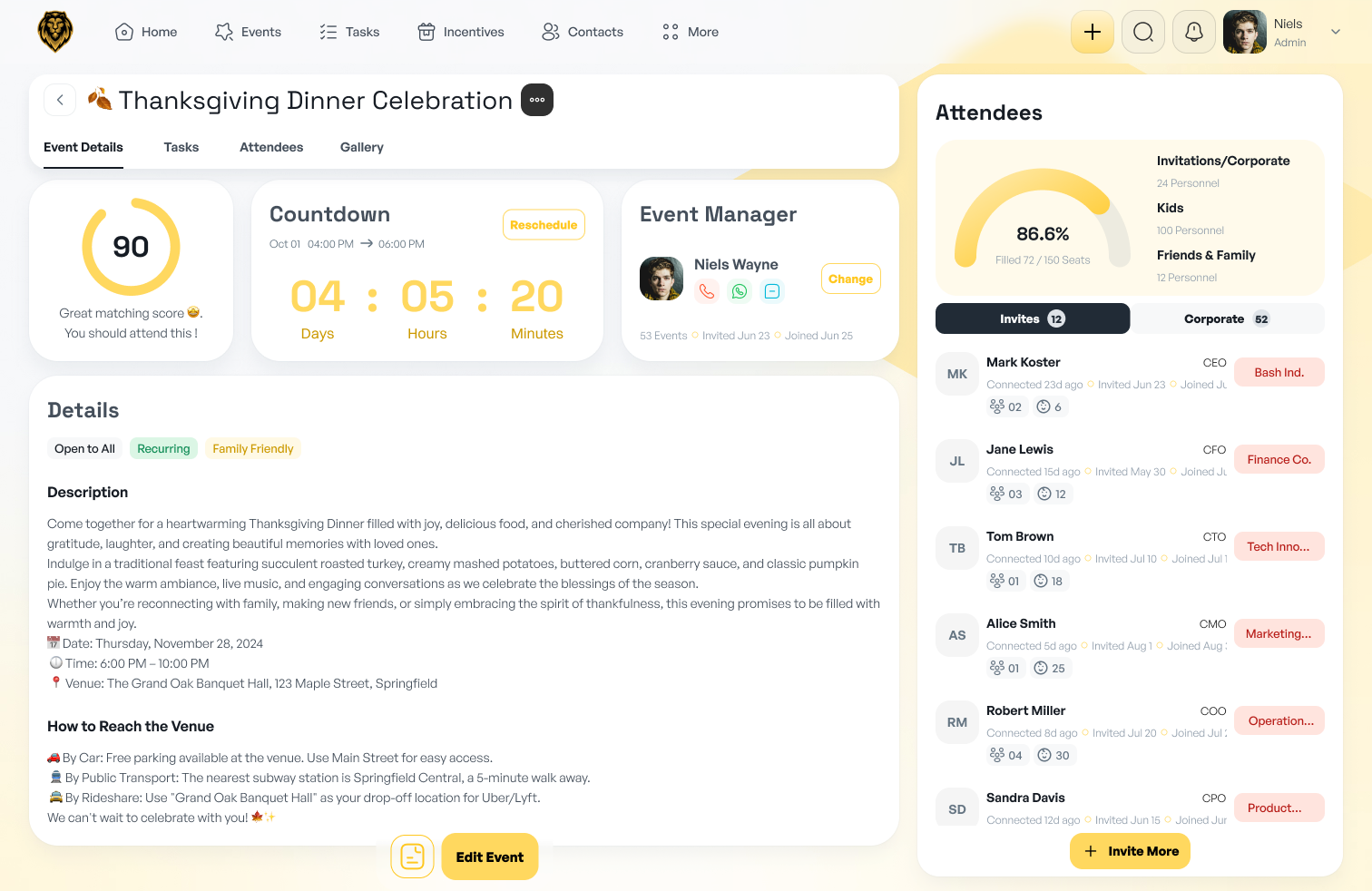
- To manage tasks and view attendee lists
- To see event locations on a map and view past-event galleries for context.
- To register for the event I am invited to
- To download digital tickets for myself and my guests
Flow Diagrams
One shared system, two role-shaped flows - the admin panel and the attendee app.
Design System
After understanding the user's problems and behavior, it's time to design the interface.
UI Screens
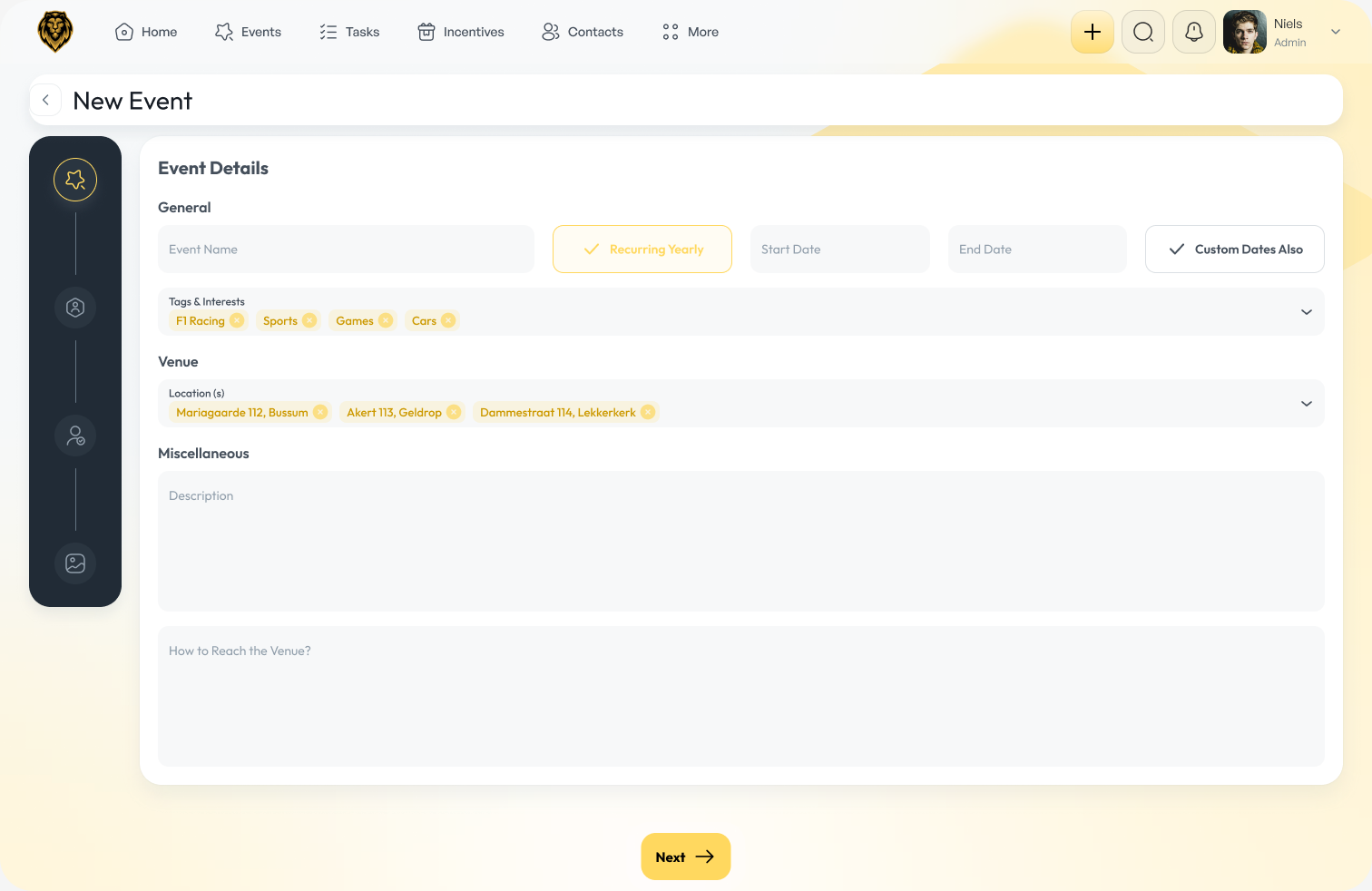
The admin dashboard, end to end.
Impact
Shipped one event-management product with two role-shaped faces - an admin dashboard covering the full event lifecycle and a companion attendee app for RSVP, venue and digital tickets - over a single shared design system.
Manual coordination gave way to a profile-driven system: coordinators run events across companies from one dashboard, invitees self-serve on mobile, and engagement climbed as invitees moved onto a flow built for them.