Assistify
An AI copilot HVAC technicians can trust, paired with a wizard-driven admin workspace that keeps its knowledge fresh, with a human approval gate so the AI is only ever as good as what a person signed off.

- Role
- Lead product designer & design engineer - owned UX, UI, the design system, and shipped the responsive front-end.
- Timeline
- 6 weeks - Empathize → Define → Ideate → Prototype → Testing
- Team
- 1 designer (me), 2 engineers, 1 PM, client domain experts
- Platform
- Responsive web - one experience, desktop to mobile (techs on phones on site, admins on desktop).
- Tools
- Pencil / Figma, React + Tailwind v4 (single-file build), MapLibre GL, Cloudflare Pages
My contributionDefined the two-sided IA (technician copilot + admin knowledge workspace), designed every flow and screen, authored the role-based token system and component library, and hand-built the responsive, production-grade front-end stakeholders click through as the real product.
What is Assistify
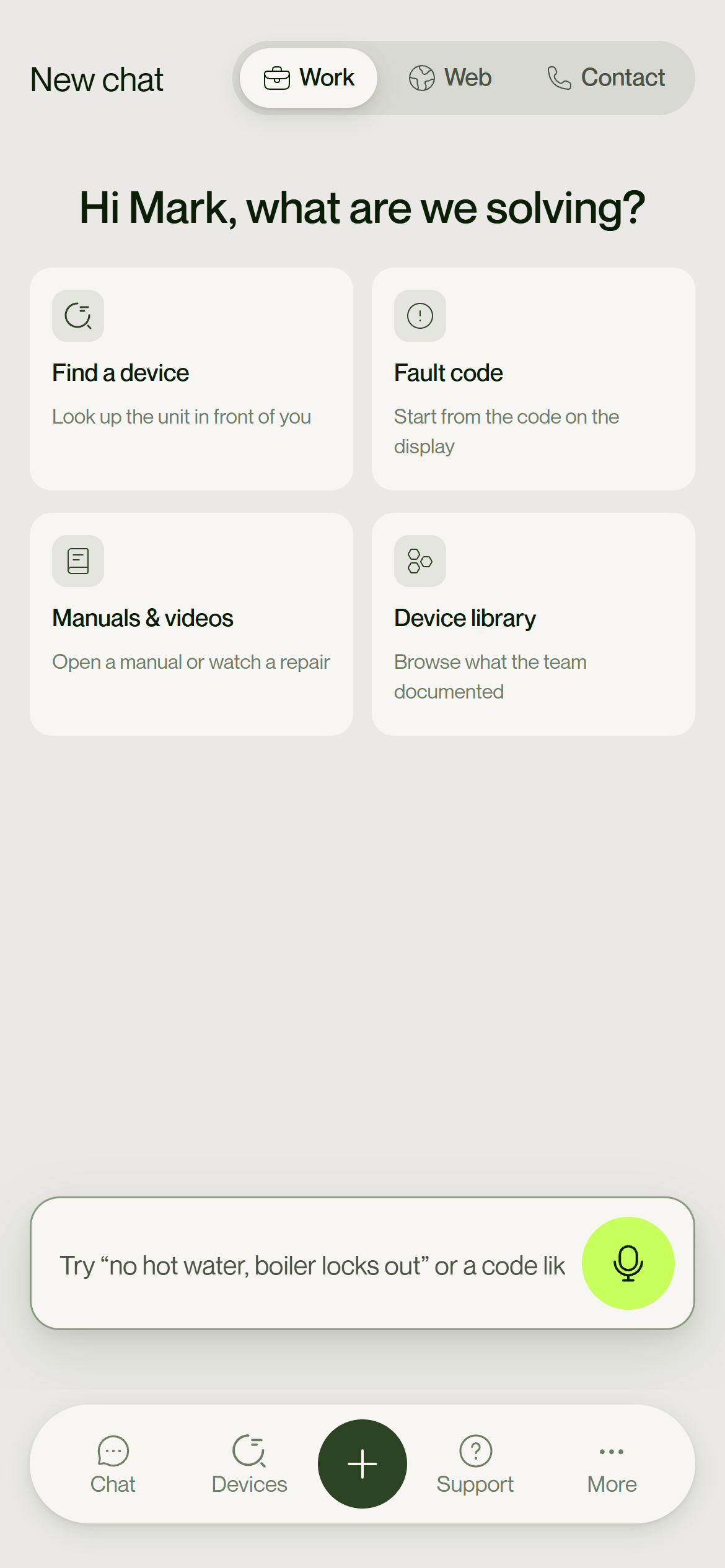
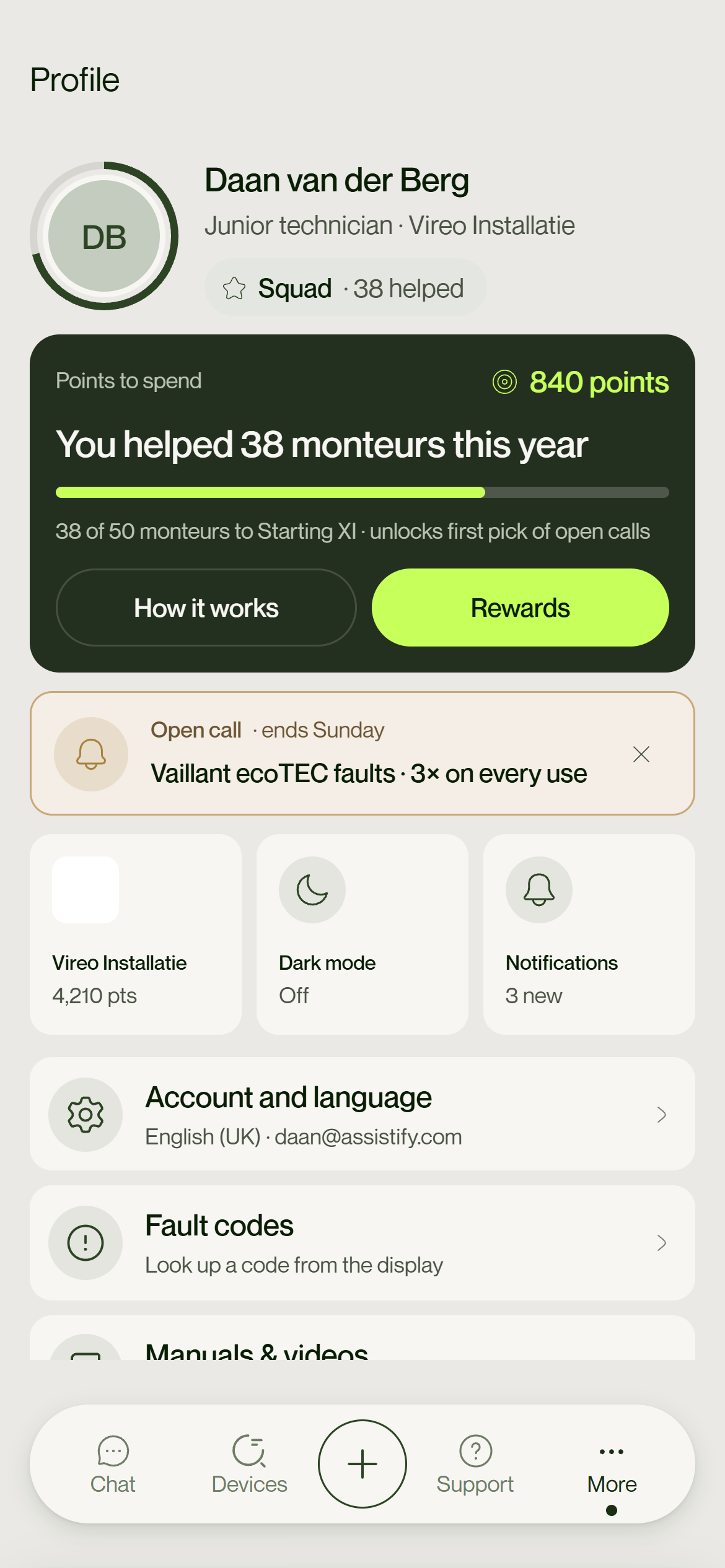
Assistify is a digital solution made of a mobile app and a web portal. The mobile app puts an AI-powered chat in the technician's hand - step-by-step troubleshooting by text or hands-free voice - and every answer shows the source documents it came from, so technicians can trust and verify it. Senior technicians can give feedback on AI answers, improving the system over time.
Behind it, an admin portal manages asset information, keeps the knowledge base fresh, and monitors how technicians use the AI chat. Together it replaces scattered PDFs and tribal knowledge with reliable, real-time access to the right answer - shortening time-to-diagnosis without hiring the AI a full-time librarian.
Problem Statement
Technicians in the field were relying on outdated physical manuals to install and fix appliances - cumbersome to read on-site, and especially hard for junior technicians. They often had to depend on senior techs for help, and there was no easy way for seniors to document and share their fixes, creating a communication gap.
An AI tool was introduced to assist with troubleshooting, but technicians hesitated to trust it: they could not verify where an answer came from. That lack of transparency - not the answers themselves - was the real blocker to adoption.
Constraints that shaped everything
- Company users are not power users - flows must survive a first-time, low-confidence user.
- Trust is the product - nothing enters the knowledge base unreviewed.
- One codebase ships desktop and mobile as a self-contained build, openable anywhere.
Design Process
Six weeks, double-diamond - from field research to a validated, high-fidelity build.
Empathy Interviews
I spoke to the three people the system had to serve before drawing a single screen.
Junior technicians
- Walk me through a recent time you had to fix an appliance - what steps did you follow?
- How do you access manuals or instructions on-site today, and what challenges do you face?
- What do you do when you don't understand an instruction in the manual?
- How comfortable are you using voice commands or listening to instructions while working?
- If AI gave you an answer, how important is it to see where it came from?
Senior technicians
- How do you handle complex or new problems that aren't in the manuals?
- How do you share your knowledge or fixes with junior technicians?
- Have you ever had to correct or improve AI-generated answers? How?
- Would you use a system where you can like / dislike AI answers and suggest better ones?
- What would encourage technicians to trust and use an AI-powered knowledge system?
Admins
- How do you manage asset information and manuals today - what tools do you use?
- What makes it hard to keep the knowledge base updated and accessible?
- How important is it to monitor AI chat usage and technician interactions?
- What kind of insights or reports would be most useful for you?
- Would you use a chat interface yourself to explore AI answers and correct inaccuracies?
User Personas
- Goals
- Fix the appliance quickly and correctly; minimise errors; avoid calling seniors for every fix.
- Frustrations
- Bulky paper manuals, hard to read on-site, language barriers, unclear instructions.
- Needs
- Simple step-by-step instructions; voice commands; trustworthy, transparent AI answers.
- Behavior
- Relies on hands-on guidance, hesitant to fully trust AI; wants to see source documents.
- Motivations
- Gain confidence, improve skills, complete tasks independently.
- Goals
- Solve complex or unknown problems; mentor juniors; improve the AI knowledge base.
- Frustrations
- Repetitive manual reading, slow feedback mechanisms, juniors not following instructions.
- Needs
- Efficient feedback on AI answers; ability to suggest improved fixes; see previous cases.
- Behavior
- Uses AI but validates answers; provides feedback to improve the system.
- Motivations
- Enhance team performance, reduce repeat visits, keep knowledge organised.
- Goals
- Manage assets & knowledge base; monitor technician AI usage; correct AI inaccuracies.
- Frustrations
- Complex admin systems; no insight into how effective the AI chat actually is.
- Needs
- Simple asset & knowledge management; chat-auditing dashboards; an admin AI chat for testing.
- Behavior
- Oversees system health; interacts occasionally with the AI chat for insights.
- Motivations
- Ensure smooth operations, improve technician efficiency, keep data up to date.
Empathy Map
The Solution
Assistify pairs a trustworthy, device-grounded AI copilot for technicians with a wizard-driven admin workspace that lets ordinary staff feed and govern its knowledge - behind a human approval gate, so the AI is only ever as good as what a person signed off.
Key Features
The feature set that came out of the research - trust and transparency built into every answer.
UI Screens
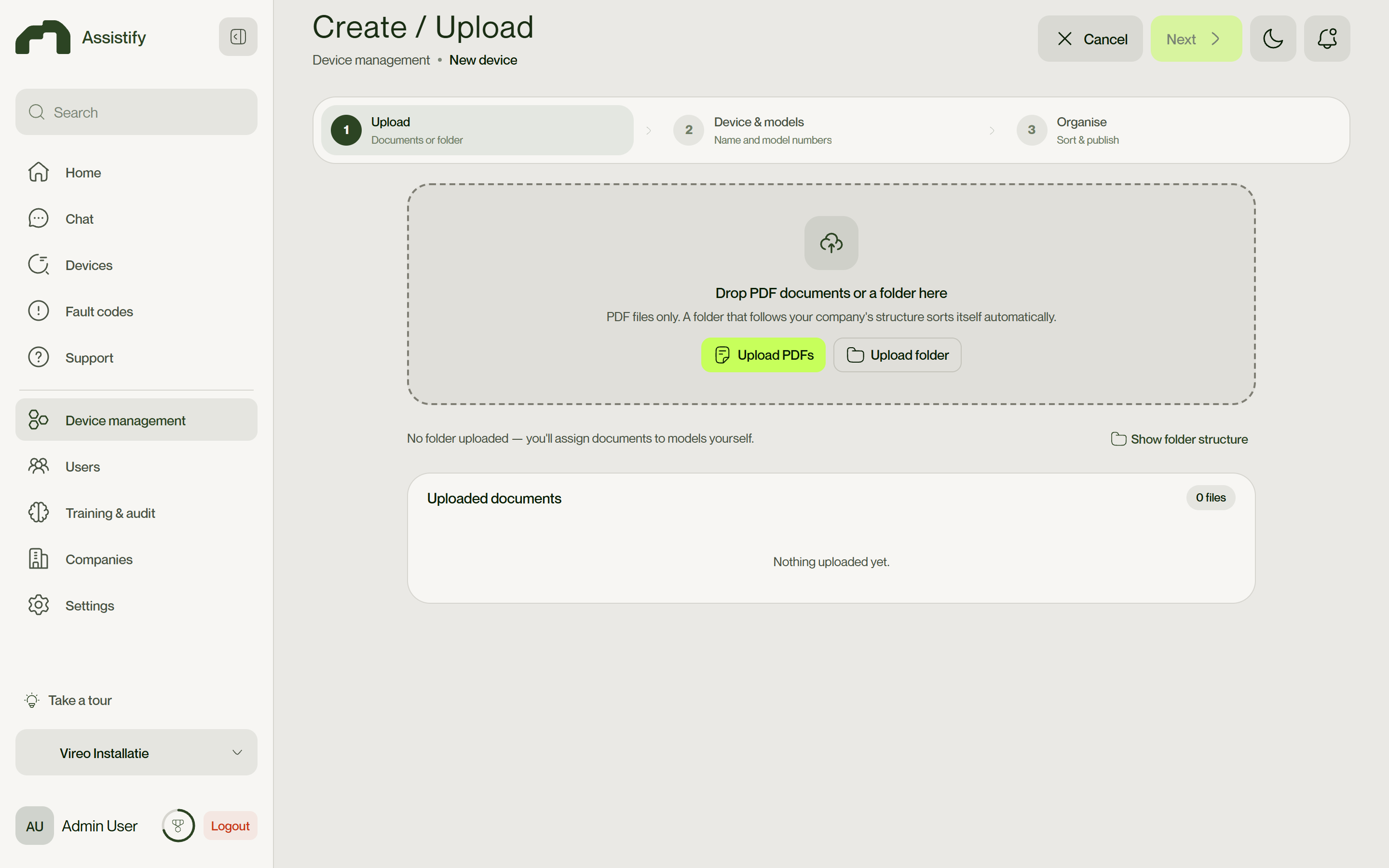
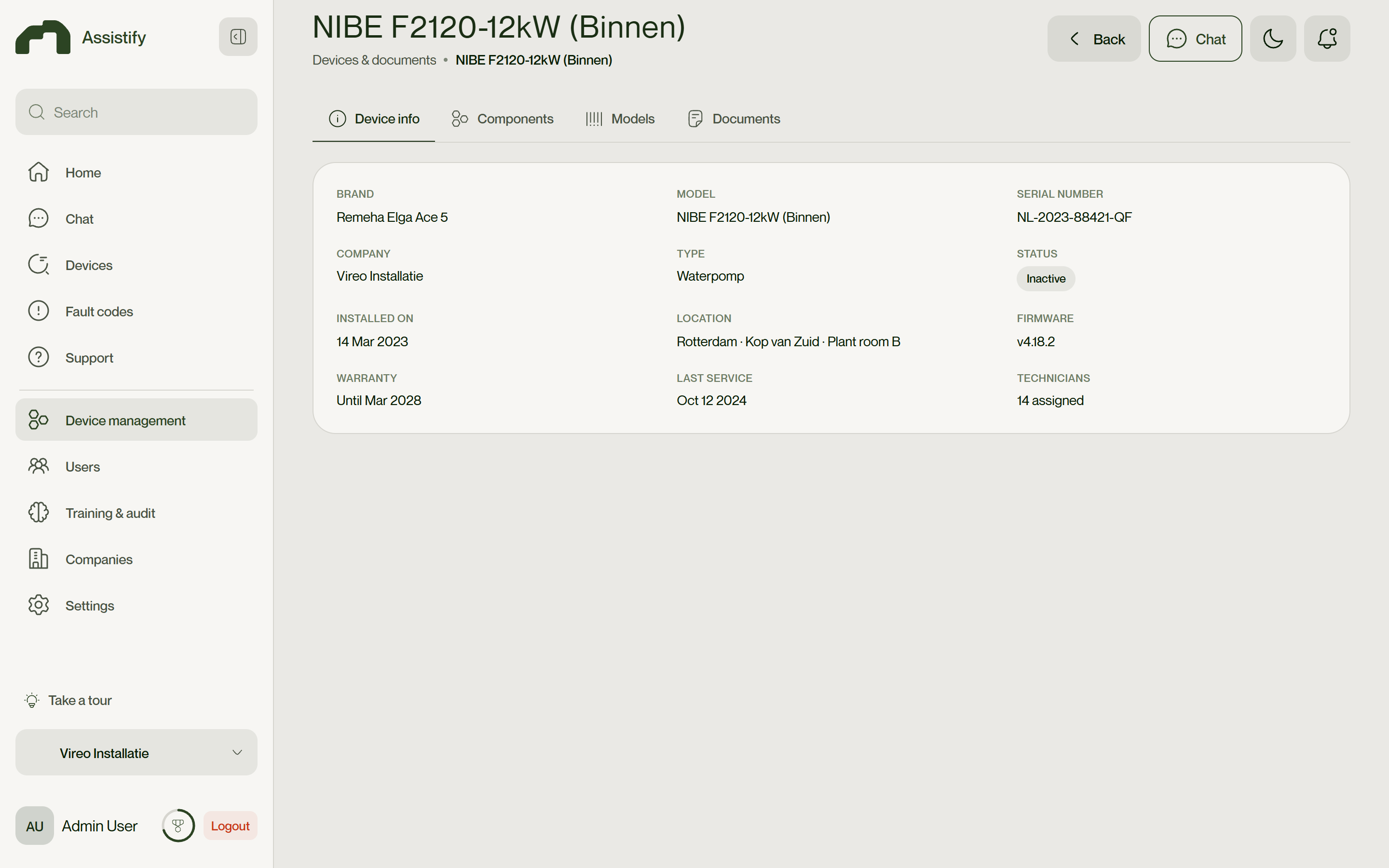
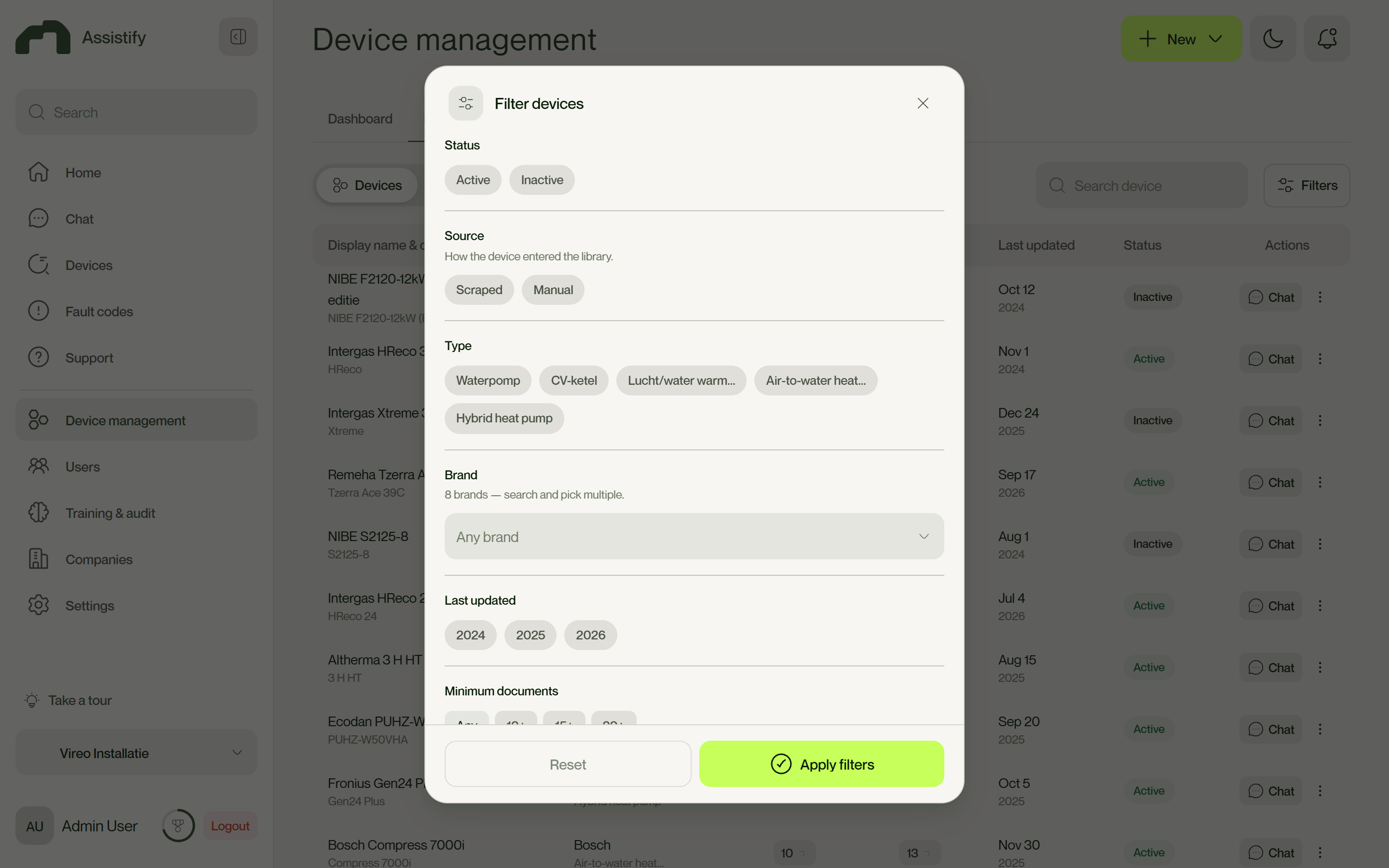
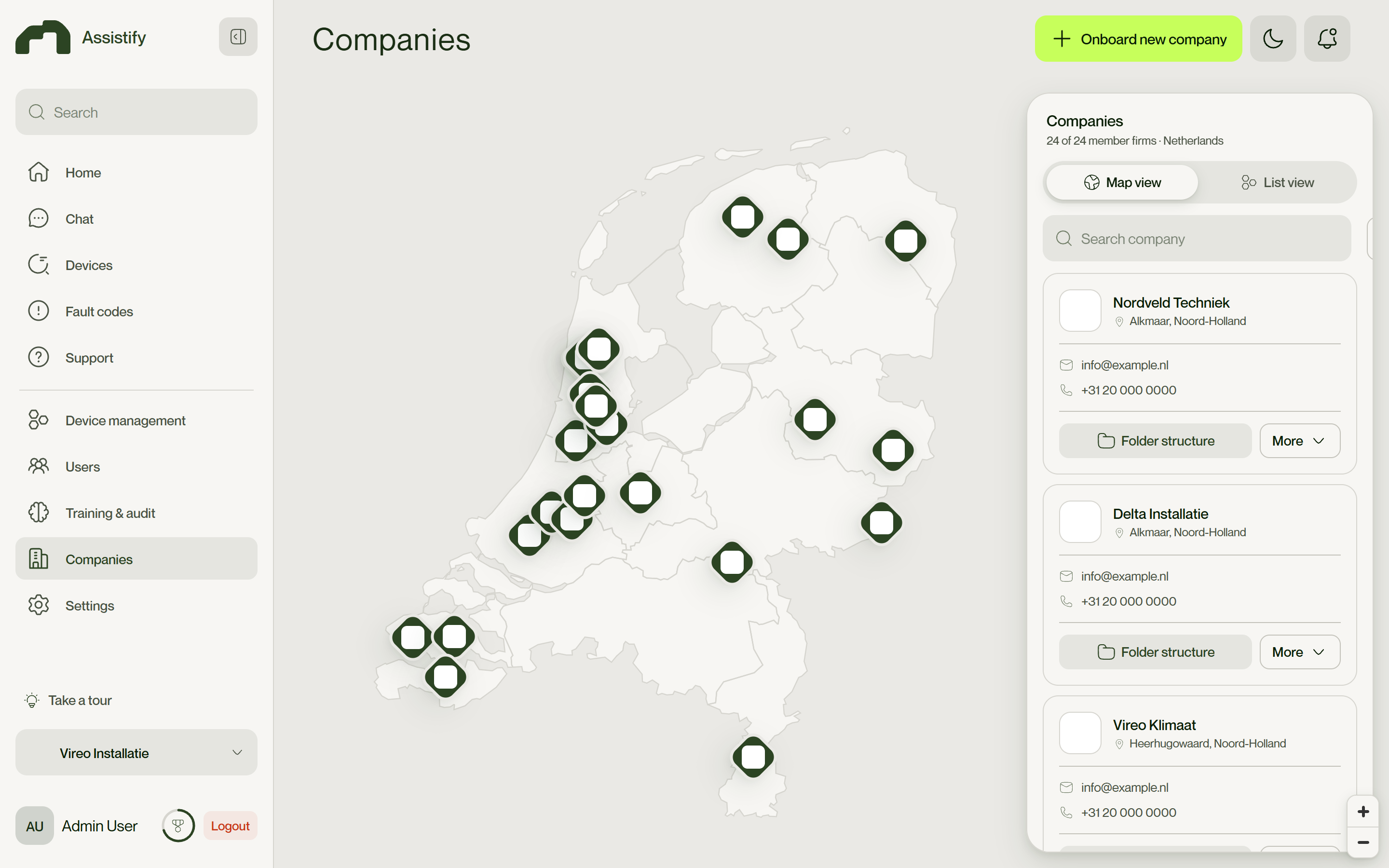
One design system, two role-shaped apps - admin on desktop, technician on a phone.
Design System
A calm, high-trust moss-and-lime system, tokenised across two apps and every breakpoint.
Validation
Because the deliverable is a real responsive build, not a static mockup, stakeholders and pilot users clicked through actual flows on their own devices.
Testing and critique drove concrete changes. The Documents step overwhelmed users at scale, so it was re-architected into two scoped-scroll columns with model tabs and drag-hover switching. A private / public switch read as 'on / off', so it became a lock / globe toggle with Public / Private accordions. Inconsistent filter buttons moved onto one shared control; too many borders were rebalanced to a soft, single-border language and 60 / 30 / 10 colour; and auto-filled fields that collided with their labels got the floating-label logic fixed.
Impact
Shipped a production-grade, fully responsive front-end covering the technician copilot and the complete admin workspace - device management, review governance, the create / upload wizard, companies map, users, training & audit and settings - as a single self-contained build.
Governance is built in: nothing reaches the AI without human approval, answering the trust concern that blocks adoption of 'AI over your docs' tools. Folder-aware uploads and guided wizards let non-technical staff keep the library fresh without a dedicated data role, and one shared token and component system spans two apps and every breakpoint.